Podcast Editing Software Types: Comparing Workflow Approaches
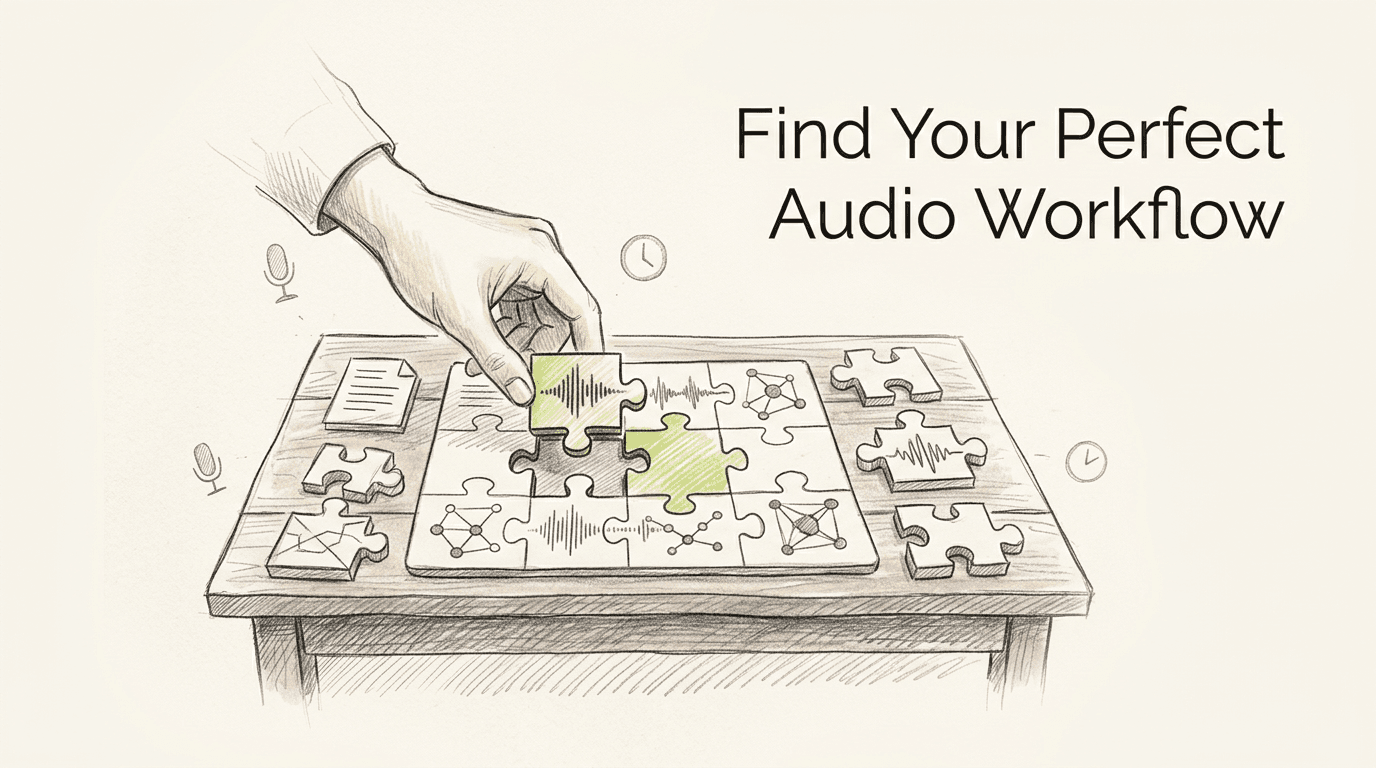
Most creators hit the exact same wall by their fifth recording session: three guests, three distinct room acoustics, two overlapping voices, and a rigid publishing deadline. Fixing that structural chaos requires far more than just slicing out silence on a timeline. Choosing the right podcast editing software means matching the tool's underlying logic to how your production brain actually processes audio. If you think entirely in scripts, a dense frequency-based editor feels like an obstacle course. If you mix highly layered soundscapes, a word-processor style interface feels like a toy.
Quick Summary
Podcast editing software dictates how a producer assembles, repairs, and finalizes spoken-word audio files. The primary distinction between these toolsets lies in their structural design, separating platforms that treat audio as a text document from those that process it as complex, overlapping mathematical waveforms.
- Match the software architecture to your specific production style, not just your budget.
- Text-based editors prioritize rapid narrative assembly but fail at precise frequency sculpting.
- Multitrack environments offer broadcast-grade routing at the cost of a severe learning curve.
- Browser-based suites solve remote latency but demand flawless network stability.
Table of Contents
- Buying Guide / How to Choose
- 1. Text-Based Audio Editors
- 2. Single-Track Destructive Editors
- 3. Multitrack Digital Audio Workstations
- 4. Cloud-Based Collaborative DAWs
- 5. Automated Post-Production Suites
- Matching the Tool to Your Production
- FAQ
- Recommended Reads
Comparison Table
| Category | Workflow Approach | Features | Pros | Cons | Target Audience |
|---|---|---|---|---|---|
| Text-Based Audio Editors | Script-Driven Workflow | Word-level splicing, transcript synchronization, automated filler detection | Accelerates narrative assembly, requires zero audio background, simplifies rough cuts | Weak transient preservation, audible crossfade clicks, rigid multitrack alignment | Narrative producers and journalists |
| Single-Track Destructive Editors | Timeline-Based Production | Spectral repair, direct file overwriting, isolated frequency selection | Immediate visual feedback, minimal CPU overhead, precise clip boundaries | Erases raw source data, prevents layered sound design, offers rigid undo history | Solo creators and voiceover artists |
| Multitrack DAWs | Broadcast-Grade Multitrack | Non-destructive bussing, phase alignment, third-party plugin integration | Limitless layered mixing, exact volume automation, strict broadcast compliance | Severe learning curve, complex session management, overkill for basic dialogue | |
| Cloud-Based Collaborative DAWs | Browser-Based Collaboration | Real-time remote tracking, multi-user sessions, local browser caching | Eliminates heavy file transfers, instantaneous client review, unified session states | Tied to network stability, restricted offline capabilities, high latency risks | Remote co-hosts and distributed teams |
| Automated Post-Production Suites | Automated Algorithmic Processing | Programmatic target matching, algorithmic noise gating, automatic true-peak limiting | Massive time savings, consistent loudness targets, requires zero manual routing | Over-compresses dynamic audio, introduces background pumping, removes creative control | Daily news shows and high-volume networks |
Buying Guide / How to Choose
The technical specifications of audio software matter far less than the core philosophy dictating how the software handles data. To evaluate these tools effectively, we classify them along a single, distinct axis: the Workflow Approach. This lens ignores marketing feature counts and instead groups software by how it manipulates the incoming waveform.
We divide the market into five concrete categories. A Script-Driven Workflow treats the audio file as a written transcript, binding sound to words. Timeline-Based Production views audio as a continuous graphical wave placed against a chronological grid. Broadcast-Grade Multitrack setups treat audio as discrete electrical signals routed through a complex digital mixing board. Browser-Based Collaboration moves the processing load off your local hard drive and into a synchronized web environment. Finally, Automated Algorithmic Processing removes the interface almost entirely, applying mathematical averages to hit predetermined loudness standards.
Evaluating a tool against the wrong category guarantees a broken workflow. You cannot judge a script editor by its lack of a master bus compressor, just as you cannot fault a multitrack system for lacking instant transcription. Define how you prefer to build a show first, then select the category that natively speaks that language.
1. Text-Based Audio Editors
A narrative journalist staring at four hours of unstructured interview tape needs to find a storyline, not analyze room frequencies. This format accelerates the initial assembly phase by treating recorded dialogue exactly like a word processing document.
Operating strictly within a Script-Driven Workflow, this software analyzes the incoming source file upon import. It generates a written transcript and digitally anchors the underlying waveform to the specific text characters. When you highlight a paragraph and press delete, the software simultaneously executes a cut in the audio file and pulls the surrounding regions together to close the gap. It relies heavily on automated micro-fades at the edit boundaries to prevent digital clicks when waveforms do not naturally align at a zero-crossing point. You never actually look at a decibel meter while making these structural decisions.
The speed of text editing sacrifices transient preservation
Slicing a sentence apart based on where a word ends visually on screen ignores physical breath. It ignores the natural room tone that surrounds the human voice. Chopping midway through a phrase routinely decapitates the leading transient of the next consonant. This creates an unnatural, jarring rhythm. This exposes the edit to the listener. Routing an intricate, emotionally delicate interview through this interface requires caution. The automated crossfades struggle to mask abrupt changes in background noise.
Reserve this tool strictly for building the initial narrative skeleton of documentary-style podcasts.
Pros
- Drastically reduces the time required to build a rough cut.
- Allows producers with zero audio engineering background to shape a story.
- Simplifies the removal of repetitive filler words across long recordings.
Cons
- Creates audible rhythmic stuttering on tightly spaced dialogue.
- Fails to manage complex phase relationships between multiple microphones.
- Restricts granular control over volume automation curves.
2. Single-Track Destructive Editors
Unlike script editors that abstract the waveform behind words, this format exposes the bare mathematical reality of the sound file. It exists to sanitize raw dialogue tracks before they ever touch a larger mix session.

This tool occupies the Timeline-Based Production category. It opens a single, isolated audio file into system memory and allows you to apply processing - like equalization or spectral noise reduction - directly to the data blocks. The mechanism is entirely destructive. When you identify a harsh siren in the background, highlight its frequency band, and reduce its gain, the software recalculates the 32-bit float file instantly. Once you save the session and close the window, the history buffer is erased. The raw file is permanently altered, leaving you with a clean slate.
Direct file manipulation guarantees zero playback latency
Because the software recalculates the audio block by block instead of running real-time plugins over a timeline, playback is instantaneous and CPU overhead remains incredibly low. You are never fighting a buffered processing delay when making surgical cuts. However, this permanence is also the core liability. If you apply heavy compression to a voiceover and realize three days later that you squashed the dynamic range too aggressively, you cannot bypass the effect. You must start over entirely from your original backup file. What would make us step back from this format is this exact lack of a safety net during client revisions.
Adopt a destructive editor solely to execute surgical audio repair on isolated tracks prior to final assembly.
Pros
- Consumes negligible system resources on older studio computers.
- Provides unparalleled visual feedback for isolating specific background noises.
- Enforces decisive processing choices that prevent endless mix tweaking.
Cons
- Bakes equalization choices permanently into the source file.
- Prevents the simultaneous playback of overlapping music and dialogue.
- Offers a highly rigid undo history that clears upon exit.
3. Multitrack Digital Audio Workstations
When three panel guests laugh over each other while intro music needs to duck beneath them, a single-track approach fails entirely. This is the structural foundation for audio engineers managing dense, overlapping soundscapes.
Rooted deeply in the Broadcast-Grade Multitrack category, this software processes audio non-destructively. It reads separate audio files from a hard drive and calculates their volume, panning, and applied effects in real time through a central digital mixer. You can route all three guest microphones into a single auxiliary bus, insert an analog-emulated equalizer on that bus, and shape the tone of all voices simultaneously. The original source files are never altered on the hard drive; the software merely renders the mathematical sum of your routing choices during the final export.
Unlimited routing flexibility demands intensive session management
That architectural freedom means the interface offers absolutely no safeguards against poor gain staging or phase cancellation. You are responsible for ensuring that the master output does not digitally clip, and you must manually align overlapping microphones to prevent comb filtering. The interface is dense, heavily populated with complex I/O matrices, and fundamentally unforgiving. We bypass multitrack setups entirely when processing a basic, single-voice monologue, as configuring the necessary busses wastes valuable production time.
Commit to a multitrack environment when your format requires intricate volume automation and broadcast-level compliance.
Practical rule: Always edit multi-microphone dialogue sessions with the final mastering chain bypassed to avoid masking the native room resonances you need to cut.
Pros
- Allows precise phase alignment across complex multi-microphone setups.
- Supports deep integration of third-party audio repair plugins.
- Facilitates complex, non-destructive routing of auxiliary effects.
Cons
- Imposes a steep, heavily technical learning curve on new users.
- Slows down simple dialogue edits with mandatory session routing tasks.
- Demands significant CPU power when running multiple real-time effects.
4. Cloud-Based Collaborative DAWs
The moment a co-host moves to another time zone, passing heavy WAV files back and forth via email breaks the entire production schedule. This format shifts the recording and editing infrastructure away from local hardware.

Operating entirely within Browser-Based Collaboration, this tool utilizes WebRTC protocols and secure web sockets. When you record, the browser temporarily caches high-resolution audio locally on your machine and uploads it in encrypted data blocks to a central server in the background. This local-caching mechanism ensures that minor internet dropouts do not corrupt the source recording. During the editing phase, the software synchronizes the master session state across multiple users' screens, allowing an editor in New York and a producer in London to watch the same playhead move simultaneously.
Unified session states eliminate version control headaches
The collaborative speed is unmatched, but the entire infrastructure is fundamentally tethered to network stability. If your local internet service provider throttles your upload bandwidth mid-session, playback synchronization stutters, destroying your ability to judge conversational timing. Furthermore, because the heavy processing occurs on external servers, you are generally locked out of using demanding third-party plugins. We recommend holding off on this approach if your studio location suffers from fluctuating broadband speeds or if you rely heavily on specialized local analog mastering equipment emulations.
Move to a cloud-based setup specifically to cut out the endless delays of bouncing review files for remote clients.
Pros
- Eliminates the confusion of managing multiple local project versions.
- Protects raw recordings through continuous background cloud syncing.
- Allows instantaneous approval loops between remote production teams.
Cons
- Relies absolutely on a stable, high-bandwidth internet connection.
- Restricts access to specialized third-party processing tools.
- Introduces playback latency that complicates fine timing adjustments.
5. Automated Post-Production Suites
Uploading a raw dialogue track and receiving a leveled, publish-ready file three minutes later is the reality for daily news shows. This tool acts as an invisible engineer for creators prioritizing speed over nuance.
Belonging to the Automated Algorithmic Processing category, this platform does not provide a traditional editing timeline. Instead, you upload your finished cuts, and the software runs the files through a programmatic analysis chain. It maps the dynamic range of the file, identifies steady-state background noise profiles, and applies broad-band compression and true-peak limiting. The mechanism calculates the integrated LUFS (Loudness Units relative to Full Scale) over the entire duration of the track, ensuring the final output matches the exact numeric targets required by major streaming platforms.
Algorithmic speed inherently removes creative nuance
Algorithms apply uniform mathematical fixes based on statistical averages. They cannot contextualize emotional delivery. If an algorithm detects a sudden drop in volume, it raises the gain, indiscriminately pulling up the HVAC hum in the background right alongside the speaker's whisper. When the speaker stops, the algorithmic noise gate slams shut, creating a jarring, unnatural vacuum of absolute silence. We would skip automated leveling entirely when processing highly dynamic storytelling tape, as the lack of human judgment crushes the emotional intent of the performance.
Deploy an automated suite only when pushing high-volume, conversational interviews where rapid delivery outweighs pristine frequency sculpting.
Practical rule: Never feed a previously compressed file into an automated suite, as double-limiting the transients will severely distort the final render.
Pros
- Guarantees final files hit exact streaming loudness compliance metrics.
- Saves hours of manual leveling across large episode backlogs.
- Requires absolutely no knowledge of compression ratios or EQ curves.
Cons
- Exaggerates background room noise during quiet conversational pauses.
- Eradicates the intentional dynamic contrast of dramatic storytelling.
- Offers no manual override to protect specific, delicate audio moments.
Matching the Tool to Your Production
Choosing the correct software requires an honest assessment of your daily bottlenecks.
If you are overwhelmed by the sheer volume of spoken words and need to rapidly shape an interview into a cohesive story, a Script-Driven Workflow removes the friction of navigating waveforms.
If you record solo voiceovers and need to surgically extract mouth clicks and room reflections before sending the tracks elsewhere, rely on Timeline-Based Production tools.
If your final product demands intricate music ducking, overlapping dialogue, and strict compliance targets before sending files for professional audio mastering, nothing replaces the routing power of a Broadcast-Grade Multitrack system.
If your entire team lives in different time zones and client approvals take days, adopting Browser-Based Collaboration unifies the process into a single digital space.
Finally, if you publish a daily conversational show and simply cannot spend hours balancing levels, Automated Algorithmic Processing acts as an acceptable, albeit blunt, safety net.
FAQ
How does podcast editing software handle phase cancellation between multiple microphones? Basic text-based editors generally ignore phase relationships entirely, leaving overlapping microphone bleed intact. Dedicated multitrack environments allow you to nudge individual audio regions by milliseconds to align the waveforms manually, preventing the hollow, comb-filtered sound that ruins multi-guest dialogue.
Does algorithmic processing replace the need for manual gain staging? No. Automated suites normalize the overall loudness of a file, but they cannot distinguish between intentional quiet pauses and poorly recorded audio. Manual gain staging remains necessary to ensure the loudest peaks do not trigger aggressive limiting that squashes the natural dynamics of the voice.
Should a final master be exported directly from a destructive audio editor? Destructive editors are built for forensic audio repair rather than final assembly. Exporting a final mix from a single-track editor usually means you have baked in equalization choices that cannot be reversed or adjusted later during the broadcast leveling phase.
What is LUFS and why does my editing software measure it? LUFS (Loudness Units relative to Full Scale) is the standardized metric streaming platforms use to measure perceived human loudness. Broadcast-grade editing software includes LUFS meters to ensure your final export meets platform requirements before publication, preventing the streaming service from aggressively turning your audio down.